I want eNeighbors

We’ve had a lot of people tell us that they want eNeighbors in their neighborhood, but don’t know how to go about getting their neighborhood online.

If you’re a resident of a community association and you want eNeighbors, here’s a few suggestions:

  1. Email your board of directors. Email a board member and tell them to visit www.eNeighbors.com/overview/. We’ll be happy to walk them through a demonstration. If you don’t know your board members, their contact information is usually listed in your neighborhood directory or newsletter.
  2. Attend your monthly HOA board meeting. Most boards hold monthly meetings that are open to all neighbors. Be sure to bring our brochure for the board to review.
  3. Call your property manager. If your neighborhood is professionally managed by a property manager, give them a call and tell them that you want eNeighbors.
  4. Tell us to do it!We’d be happy to contact your board or property management company and explain the benefits of eNeighbors. Just send an email to sales [at] eneighbors.com and let us know who to get in touch with.

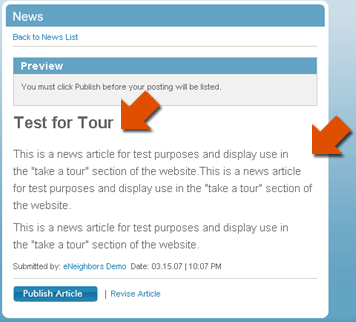
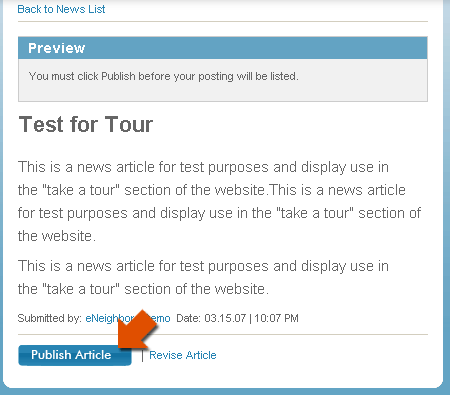
If you want to learn more about eNeighbors, take a tour.
Association Times

I just ran across a new website (new to me anyway) called Association Times. It looks like a great resource for those of you who sit on a HOA board. This month they cover topics such as:

When you become a board member, no one hands you an instruction manual. Sure, you get a set of bylaws that have a legal definition as to what you’re supposed to do, but that doesn’t help much. In fact, I would argue that it gives new board members the wrong impression about how they can add value to their community.

In my opinion, the number one contribution you can make to your community is to promote a sense of community. How do you do this? Through communication and social activities. Eleanor Hugus, a contributor to Association Times, recommends the use of frequent communication through newsletters, social gatherings, websites, and surveys.

If you’re considering a website for your neighborhood, be sure to check us out.

The Neighborhood Champion

There’s always that one person in every neighborhood. You may not know them personally, but it’s likely that you’ve benefited from the time and effort that they put into your community.

I’m talking about the person who plans the annual garage sale, organizes the progressive dinner, gets the kids together for the pool party, publishes the neighborhood newsletter, and may even call you for a donation for the neighborhood swim team.

As you might imagine, I love working with these people. At some point, I’m almost always in contact with the “neighborhood champion” in every community that uses our services.

If you sit on the board of directors in your neighborhood and you don’t know who your neighborhood champion is, I implore you to recruit them immediately. The energy that they bring is overwhelming and will be amplified with the support of the board of directors.

Neighborhood champions are so important because they bring the community together through constant communication. They spend hours in Microsoft Publisher creating flyers and newsletters in hopes that they can get a few more people to come to the Fall Bash.

I was talking with a neighborhood champion today who explained to me how eNeighbors acts like a neighborhood champion, which got me to thinking about the similarities between eNeighbors and the neighborhood champion:

  1. eNeighbors constantly communicates with the neighborhood by automatically sending out weekly eNewsletters via email. Neighborhood champions constantly communicate by sending out paper newsletters.
  2. eNeighbors promotes and organizes social events online and even accepts RSVPs. Neighborhood champions organize social events by printing flyers and making phone calls.
  3. eNeighbors forms social groups like bunko clubs, playgroups and poker games. Neighborhood champions form social groups too, it just takes a little more effort.

Whether you have a neighborhood champion or not, eNeighbors can help keep your neighborhood connected. If you’re interested in seeing more, Request a Demo today.

eNeighbors’ customers are the best

eNeighbors just surpassed 1000 registered users! Our customers have helped us improve our application over the last two months and endured through our beta testing period.

Rest assured, we’re in the process of incorporating your feedback into future enhancements that we’ll release shortly.

In the meantime, thanks for your help and keep the feedback coming!

eNeighbors: Lost pet retrieval tool?

If you don’t have an eNeighbors website for your neighborhood, what do you do if you’ve lost your pet?

We’ll, if you’re like most people, you’ll probably post flyers, go door-to-door, and maybe even call animal control. With any luck, you’ll be able to locate your pet in no time, but more often than not, these tactics can feel painfully futile.

But imagine if you had the ability to instantly communicate with all of your neighbors via email?

With eNeighbors Bulletins, you can do just that.

In fact, just yesterday, a resident of Parkhurst lost their cat, Napoleon. (Parkhurst is a neighborhood that uses our services.)

A bulletin was sent out to everyone on the email list at 4:30PM to inform neighbors to look out for a “2-year old grey male cat” with a “blue and white Safe-cat collar with a gold tag…”

Two and a half hours later, at 7:00PM, Napoleon had been found and an email was sent out to thank everyone.

“Our cat Napoleon was found by one of our good neighbors underneath their enclosed deck, and is in wonderful shape, although a bit hungry!!

Thank you Lori for helping to bring our family member back home.

Thank you sooooo much everyone!!!!!”

Despite what the title of this post may suggest, we don’t advertise our services as a way of retrieving lost pets. We’re simply a communication tool that helps neighbors communicate in the way that they want to, but it’s a great example of how eNeighbors can provide value to neighborhoods and their residents.

If you’re interested in an eNeighbors website for your neighborhood, we’d love to show you our demo.

eNeighbors Tips – Sign Up Process

The most critical step when setting up your new eNeighbors website is the sign up or “adoption” process. (More information about the sign up process is available in “How does it work?“. Through this process, you will register the majority of your neighborhood online.

The first step is to send out our Welcome Letter to your neighborhood announcing the website. This letter also contains a unique PIN number for each resident and instructions on how to access the site. We recommend that you make three mailings to the neighborhood.

20%-30% of the neighborhood will register with each mailing. By the third mailing, you should have between 60% and 80% adoption. (Note: eNeighbors is now offering to complete the mailings for you. This is still in the early stages of planning, but we should have the final word tomorrow.)

Interestingly enough, when we ask residents why they didn’t sign up after receiving the first mailing, the answer is always, “I never received the first mailing”. For this reason, it’s critical to send multiple mailings to ensure that you are reaching everyone. 

Aside from the mailings, there are other tactics that we recommend.

  1. Discontinue paper mailings – By giving people only one choice, they are more likely to sign up for the website. This can be a difficult decision for some neighborhoods since there is the feeling that not everyone has Internet access. Most residents appreciate the fact that you are saving them money. Our highest adoption rates are in communities that don’t send out paper newsletters.
  2. Post, post, post – The more information you post, the more valuable the website becomes. We have seen a direct correlation between site usage and adoption.  As neighbors talk to each other about what they read on the website, more people will sign up.
  3. Put it in the bill– Everyone receives their HOA dues. Drop a little note in the invoice reminding people to sign up.
  4. Use your current lines of communication– Use all current lines of communication to remind people about the new website. This can be “wipe boards”, the paper newsletter, board or community meetings, social event flyer’s, paper phone directories, and block captains.
  5. Get your property manager involved – Your property manager is alerted every time someone moves in and out of your neighborhood, making it easy for them to inform new residents of the website. Make sure that they include information about the website in their welcome packet to new residents.
  6. Provide online social event registration – For your next social event, be sure to use the event registration engine built into eNeighbors. Residents will sign up to take advantage of the convenience of registering for events online.
  7. When someone calls, say “go to the website” – residents often call board members or property managers with questions and concerns. Take the opportunity to tell them about the website. A common concern that neighbors phone in about is other neighbors not picking up after their pets. Now you can tell residents with this concern to “go to the website” and write a news article politely reminding people to pick up after their pets.
  8. Don’t have your PIN?– If a resident doesn’t have their PIN, tell them to go to “www.eneighbors.com forward slash pin” to request one. That’s www.eneighbors.com/pin.
  9. Leverage your current users– At a minimum you’ll have 20% of the neighborhood online with the first mailing. Ask for their help in spreading the word by posting a news article.
  10. Talk it up – As with anything, the best advertising is word-of-mouth. Be sure to talk with your neighbors about what you’re doing and encourage them to sign up.

As usual, we’re always open to suggestions and welcome your feedback. Feel free to comment or email me directly.

eNeighbors Tips

Now that we’ve been running in beta for about 6 weeks now, we’re beginning to receive enough feedback from our customers to understand where some of the common challenges are and how we can improve.

In an effort to help our customers make the most of their eNeighbors website, I’m going to start posting “eNeighbors Tips”, which will contain helpful information on topics like setup, adoption, and usage.  Look for my first post on the adoption process shortly.

Newspapers need to take a distributed approach

It seems that everyone agrees – newspapers must innovate to salvage their business in the age of the Internet.

But what exactly should they do? Jeff Jarvis suggests on “CalacanisCast 23” that newspapers must adopt a distributed approach and accept the fact that they are no longer the single conduit of news that they once were.

But what does that mean – distributed approach?

In my mind a distributed approach means that newspapers would distribute their content across the Internet to whoever wanted to publish it, so long as it came attached with advertisements controlled by the newspaper so they could get paid.

You wouldn’t necessarily go to the washingtonpost.com or wsj.com, but instead, you would visit sites centered around vertical interests like the war in Iraq, or more likely, the latest celebrity gossip.

The content of these sites could be supplemented or entirely supplied by professional journalists. But the sites themselves would be run by individual publishers who could pick and choose what stories to run.

eNeighbors is one publisher that would be interested in taking advantage of professional journalism.

The content on our neighborhood websites is entirely supplied by residents, which would be greatly enhanced by professional journalists in local communities. And what do newspapers do best? Yep, local coverage.

For eNeighbors this would be a perfect marriage to bolster traffic to our site and provide more value to our users.

For newspapers, eNeighbors’ network of online neighborhoods creates a hyper-local platform from which they can distribute and monetize their content without the overhead that they have today. In addition, they could charge more for the advertising since the audience is much more focused.

I’m sure other website publishers would find professional journalism a valuable addition to their site too. Citysearch is another example of a website that could benefit from professional journalism.

As Jeff Jarvis said, you’ve got to ask yourself, “WWGD?” (What would Google do?)

Can a website slow cars down?

To a certain extent, it can. How? By increasing awareness.

The Highlands Ranch Board of Directors asked the city of Leawood, KS to conduct a speed survey due to the concern that cars were speeding through the neighborhood, putting residents and children at risk.

Then, they published the results on their neighborhood website.The survey showed that only 3% of cars (20 vehicles of 647) were going over the speed limit by 10mph or more.

The highest recorded speed was 41 mph.

While 3% sounds like a small number, it’s not for a street like 141st Street where thousands of cars move through on a weekly basis.

At some point, it may make sense for the board to pursue traffic calming measures like roundabouts. If they do decide to request this from the city council, it will take the support from the entire neighborhood.

Educating residents early on and keeping them informed of their progress will be critical to garnering the support for traffic calming measures in the future, if that turns out to be the right thing to do.

In the meantime, the board has opened up a dialogue in the community allowing people to comment on the article or to submit private “Community Feedback” to the board.

Part of the reason I wanted to post this information was because it’s a great example of how an online neighborhood communication channel can add value to a community. I also think that our other customers will appreciate knowing what other boards are doing about speed problems.