Cedar Creek to save $18k per year

I was really pleased to find out today that the Cedar Creek Homeowners Association in Olathe, KS is beginning the process of phasing out their paper newsletter to save money. The savings to the HOA are substantial and could exceed $18,000 per year.

One of the greatest benefits of eNeighbors is that you can save money by serving your communication needs online. You no longer have to bear the cost of postage, paper, printing, editing, and so forth.

According to Steve Maerz, a Cedar Creek Board Member who manages the website, the association currently budgets $1,500 per month to send 1000 newsletters, or $18,000 per year.

The savings won’t be realized immediately though as they are phasing out the monthly newsletter by printing newsletters every other month. Steve explained in an email to me that “we are telling folks that we will only mail every other month with the month that it isn’t mailed being on eNeighbors.”

The idea of sending paper newsletters every other month was not something that I’ve seen done before but I think it’s a great way to ease the community into a new process.

eNeighbors Customer Review

When considering our service, many board members ask for references from our current customers. Recently, one customer took the time to put together a review of our services. The following is an unedited email from Trudy Moffitt (Nottingham by the Green) to a board member from another neighborhood currently considering our website for their community.

Hi Miles,

As Dan stated, I am on the Board of Directors for Nottingham by the Green/Knightsbrooke subdivision with 733 homes in south Overland Park, Kansas. Prior to joining eNeighbors, we had another website that had limited features, and most of the content was managed through a third party making it very cumbersome to use for timely neighborhood communication.  We truly needed a better communication vehicle with our residents and eNeighbors provided the optimal solution. Not only can the board directly communicate to our residents, our residents can communicate with the board and with other residents. 

The fact that residents actually post their own news articles and classified ads, and freely communicate to the board through the Community Feedback feature is testimony that the eNeighbors website is very user-friendly.   eNeighbors website also requires very little maintenance/monitoring which is an important feature considering our HOA Board of Directors is comprised of elected volunteers and not paid positions. 

The responsiveness of eNeighbors to any questions, concerns, and suggestions for improvements is truly phenomenal, not only when we first joined but throughout our 2 ½ years association.   They are dedicated to providing a superior website which is evident by the numerous enhancements they have made over the years.   

Speaking on behalf of our board and residents, we have been very pleased with the eNeighbors website.  Feel free to call me at [removed] any time if you have any specific questions that I can address about our experience with eNeighbors, their website features, or our start-up process or experience.   Best wishes as you assess your website considerations.

Trudy Moffitt

HOA Board of Directors

Nottingham by the Green/Knightsbrooke

Content moderation is off! (I love it)

I have recommended to board members in the past that they do NOT use a feature of our website called “Content Moderation”, which allows a board member to moderate (review) postings by residents and approve them before they are published on the site. My basic premise is that moderation bottle-necks communication and discourages residents from posting.

I know, I can hear it now, “You built a feature that you recommend people don’t use?” Yes, we did because content moderation has it’s place, but it should never be the default.

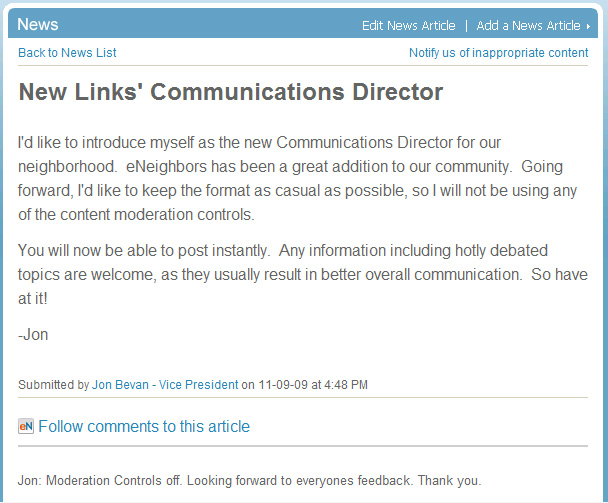
Jon Bevan, the new Communications Director for the Links at LionsGate neighborhood made the decision to turn content moderation off for his site. (See screenshot below.) If you are still using content moderation, consider following Jon’s lead and turn it off.

To turn off content moderation on your site, sign in, click “Go To Admin Tool”, scroll down to the “Content Review” section and uncheck any boxes that are already checked. Then click “Save Changes”.

Board Members: Upload a photo of your neighborhood

We are now utilizing a larger photo (450 pixels wide by 335 pixels high) on your public neighborhood page to showcase your neighborhood. We are also displaying them on our homepage and on our search results page.

To see your photo, go to http://www.eneighbors.com/ and search for your neighborhood. Click your neighborhood name to see your page.

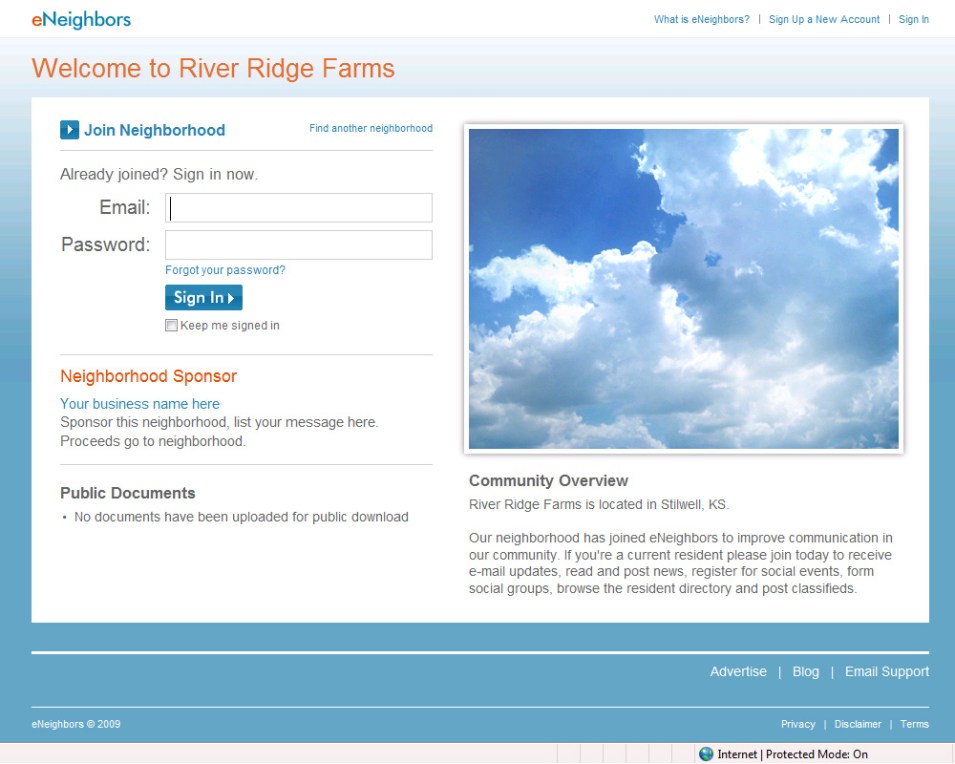
  • If you see a photo of clouds, that is the default photo and you have not uploaded a photo yet
  • If you see a fuzzy photo, this means that we are using the photo from your “old” site that needs to be re-uploaded
  • If you see a clear photo that you like, then no action is necessary

To upload a new photo, sign in to your account, click “Go To Admin Tool”, click the “Browse…” button next to “Neighborhood Photo” to select a photo off of your computer. Click “Open” and finally, click “Save Changes” all the way at the bottom of the page.

Screenshot of public neighborhood page with default photo of clouds:

screenshot_clouds

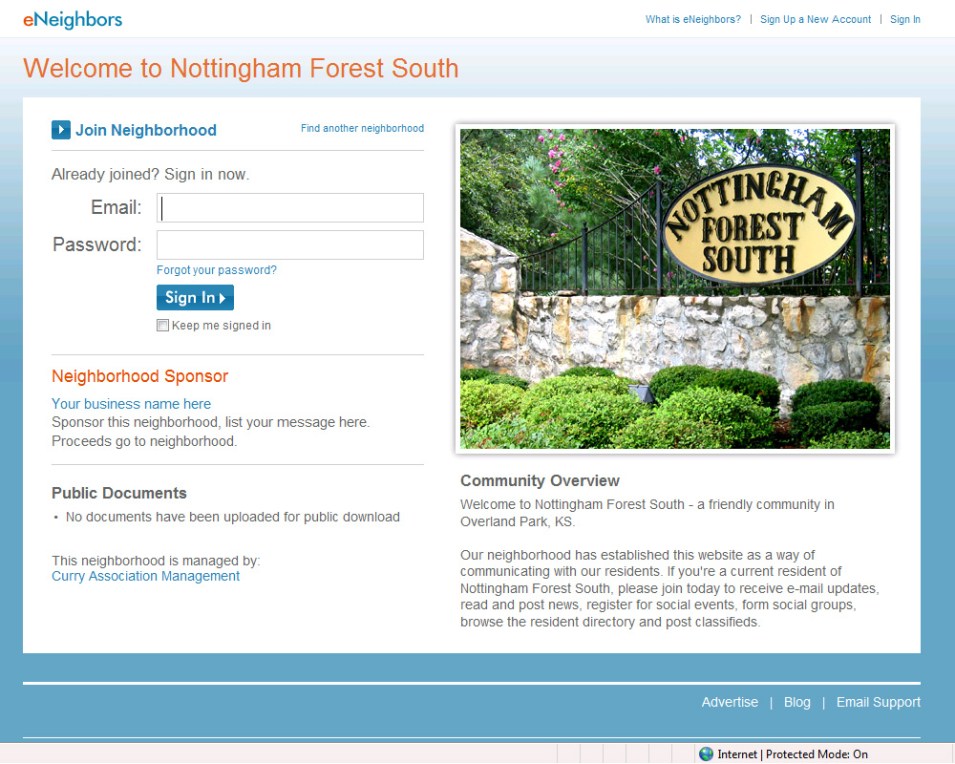
Screenshot of public neighborhood page with photo of entrance monument:

 screenshot_nottingham

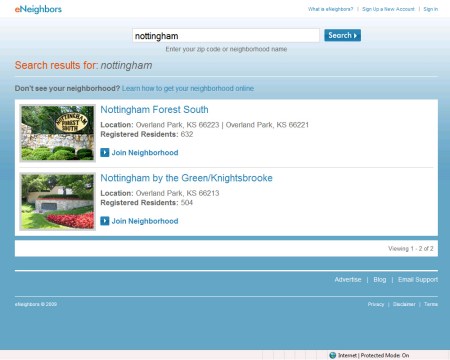
Screenshot of search results for “nottingham”:

screenshot_search_nottingham

New Feature: Invite your neighbors to join

Our registration process is proven to get at least 50% of your neighborhood registered and using eNeighbors to communicate. While this is the average across all of our neighborhood websites, one neighborhood was able to get 98% of their residents registered. However, the process by which residents register is primarily driven by direct mail and word of mouth and we think we can do better.

We now have a third mechanism to help you get your neighborhood online with a new feature called “invite your neighbor” that relies on currently registered residents to invite other residents to join.

To check this out, sign in to your neighborhood website at http://www.eneighbors.com and click the “Resident Directory” tab. Then click “See who’s not registered”. This will return a list of all the addresses in your neighborhood that have not joined yet. If you know someone who lives in one of these homes, just click the link that says, “Invite them to join” and a box to enter their email address will display. Enter their email and click “Send Invite”. They will receive an email with instructions on how to register.

Another way to do this is to search for your neighbor’s street address. Let’s say Bill is a good friend and neighbor and he lives two doors down. Just enter his street address into the search field in the resident directory and click “Search”. If he’s registered, his name and contact info will display. If he’s not, you’ll see the “Invite your neighbor” link that you can use to invite him to join.

I believe that this feature will bump up the average registration well past 70%.

Screenshot is below.

screenshot_invite

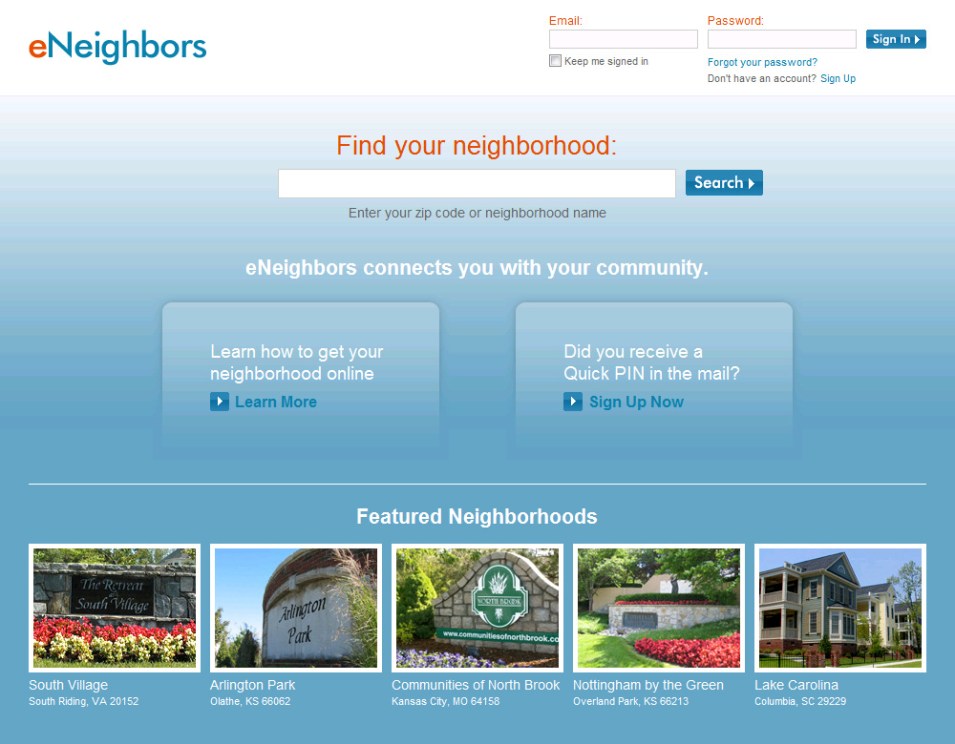
New Homepage Deconstructed

We set out to improve the eNeighbors.com homepage in the following ways:

  1. Make it easier/quicker to sign in
    • We added a sign in module to the homepage in the upper-right hand corner. When you first load the page the cursor defaults to the email address field so you can just start typing.
    • We added a “Keep me signed in” check box. When you check this box, you won’t have to sign in when you come back to the site, unless of course, you click the “Sign Out” link or remove cookies from your computer
    • We increased the visibility of the “Forgot your password?” link so if you forget your password or it doesn’t seem to be working, you know how to quickly reset it
  2. Make it easier to find neighborhoods
    • Before, you could only search by ZIP code, but what if you don’t know the ZIP code or you would rather search by name. Now you can search by neighborhood name. Give it a try. Go to http://www.eneighbors.com/ and search for “Nottingham”.
    • Expanded the search box, put it in the center of the page
  3. Make it clear as to what eNeighbors does, in one sentence
    • Added short value proposition statement “eNeighbors connects you with your community.”
  4. Help first time users get to the sign up form
    • Added text near the sign in module with a link to Sign Up form
    • Added large call-out for users who received a PIN in the mail
  5. Make it more inviting
    • Added “Featured Neighborhoods” section to showcase neighborhood entrance photos, which gives it a more neighborhood feel
  6. Make it easier to read
    • We increased the page width and font size across the board

We wanted to do all this but at the same time, keep the design consistent with our old design so users would feel that it was familiar. One final note, we also added a link to “Email Support” in the footer of every page so users would be able to reach us quickly.

New and old homepage screenshots for comparison are below.

NEW

eN-new_homepage

OLD

eN-old_homepage

We’re back

It took a little longer than expected, but the site is now back up and running as of 3:34AM CT. (I blame the delay on Friday the 13th.) In any event, you can check it out at http://www.eneighbors.com/. We gave the site a good “once-over” but we’ll still need to fix bugs over the next several days. If you find anything, please email us at support@eneighbors.com.

A few notes:

  1. The daily newsletter for today did not go out. We might push it out manually later this morning so you don’t miss it.
  2. Property managers can no longer sign in through the admin page. This is a good thing though, because you can now sign in just like residents. The easiest way for everyone to sign in is to simply go to the homepage at http://www.eneighbors.com/
  3. Some of the neighborhood photos are fuzzy because we don’t have large versions of them to fit the new 400px by 335px format. All you have to do to fix this is to upload the original photo through your admin tool or email us with your photo and we’ll do it for you.

I will follow-up this weekend with more posts to the blog about some of the new features and how to take advantage of them.

New Feature: Comment Notifications

We haven’t even finished the coding on this one yet but Kim (our coding rock star and secret weapon) tells me that she’ll have it ready for tomorrow’s upgrade. I’m really excited to see how this feature in particular increases participation from residents.

Briefly:

  • If you post a news article or make a comment on a news article, you will be automatically notified via email when someone else makes a comment to that same article
  • If you don’t want to receive these notifications you can just check they box that says “Do not send me comment notifications” when you post a comment
  • Every notification will have a link to stop that notification right in the email

Many of us have become accustom to these types of notifications. If you use WordPress (like this blog) or Facebook, then you know how this works. However, one cool thing that we are adding is the ability to follow the comments to an article even if you haven’t commented.

At the top of every comment list will be a link that says, “Follow comments to this article”. When you click it, you will receive an email when a new comment is made.

I believe that this will increase participation from residents and keep important neighborhood discussions going.

Screenshot below:

follow_comments

My Account Page

On Friday, when you sign in to your account, you will see a new link at the top of the page called, “My Account”. This page houses basic account information like your name, email address, password, date of birth and gender.

It also houses your profile photo. This is a new feature on eNeighbors that is a staple of other social networks and something that our users have requested.

To upload a photo of yourself, just click on the “My Account” link, then click the “Browse” button to find a photo on your computer. Click “Open” and the photo will automatically upload.

A screenshot of the “My Account” page is below.

My Account Page on eNeighbors